Friday, July 23, 2010

Dan Poulter at the Stradbroke Country Fair

Thankfully I really enjoy irony. The photograh to the left is taken from Dan Poulter's website (Tory MP for Central Suffolk and North Ipswich). It shows Dan and a few Stradbroke locals in front of the Radio Stradbroke roadshow...

On his website Dan talks about how he enjoyed listening to the brass band comprised of children from local primary schools.

I had an interesting conversation with Dan about this. The brass band is possible due to an excellent initiative from Suffolk County Council who bought the instruments, provided them to schools to lend to children and funded schools to pay for tuition for the children. As you may know instrumental tuition is usually charged for in Schools which means that only children of parents with enough money can take part. Not so this scheme. Everyone can take part whatever their parents means. The future funding for this tuition and instruments is unclear and Dan's view appeared to be that it is a luxury we cannot afford.

I don't share his view. We need to provide a state education of a high quality for all children in this country and our aim should be to make this every bit as good as private provision. This means despite the nonsense Gove and his ministers have been saying high quality buildings, facilities and things like instrumental tuition and the chance to play in a brass band at the village country fair are in fact really important. After all if they weren't why would private schools bother? You don't see them run out of disused office blocks with no playgrounds.

So far this government has been bad news for schools. They have waded in almost at the end of the academic year apparently even unaware that most schools are concerned with exams and transfers in June and July and tried to rush through changes that can at best be described as dubious. Schools can no longer plan their budgets carefully as we have had to guess what money we have for next year (never mind a three year cycle). The spending review is out of sync with the academic cycle but we need teachers in September. The primary curriculum has been cancelled just as many were about to implement it and an unseemly rush towards creating free schools, academies and trying to sideline if not destroy local authorities begun... the Government needs to slow down, think about what it is doing and stop trying to pretend its "reforms" are meant to improve. They are cuts, plain and simple.

So, Dr Poulter, making politics with Brass Bands is never a good idea! Haven't you seen "Brassed Off"?

Thursday, July 22, 2010

UCISA Conference - the debate!

I attended part of the UCISA User Support Conference in Oxford yesterday to lead a workshop on the development of LogMeIn Rescue that I was a part of when working at LSE. I was at the conference for the whole day and as usual there was some really interesting and thought provoking content.

Chris Sexton gave an interesting presentation on Web 2.0 and mobile devices and how these are converging. It's no longer good enough to simply say "we don't support that" in a world where people are using their own mobile devices to access cloud based content. I think Chris is right and the days of central IT as the "gatekeepers" are gone.

Of course the backdrop to the conference is the uncertainty about future HE funding. However as Chris Sexton Director of IT at Sheffield pointed out the one thing we are certain of is that funding will be less. Probably much less.

This leaves central IT departments with a challenge and this was the topic of the debate that concluded the second day of the conference.


Two IT Directors led the debate on each "side" Mike Roch from Reading and Ajay Burlingham-Bohr from Anglia Ruskin. The debate was particularly interesting when it got to the area of academic freedom especially in research centered universities. This freedom to purchase and use (and demand support for) pretty much any device, service and software has long been a problem and as Ajay pointed out to much agreement and laughter that central IT departments "should spend more time understanding our customers' needs than playing with complex LDAP systems or open-source VLEs". Oh how true!

However it is clear the solution to this isn't simply to simplify and standardise central services and then tell users they have to use them. We do need to simplify and standardise services and then we need to sell them to the users and be clear of the advantages and show how they meet their needs. This needs a cultural shift as Ajay pointed out from central IT being seen (and seeing itself) as hobbyists to us being demonstrably professionals running a professional service.

What was interesting was that the two positions moved closer to each other as the debate went on. Mike Roch advocating more shared services and selective outsourcing and Ajay responding that this was fine in the longer term but we need to begin by getting our own houses in order. For many Universities services aren't "shared" within the institution never mind between different universities!

So there is much to do and whilst nobody welcomes the cuts they at least provide an big incentive to us all to up our game.

Power Monkey Explorer Review

Another somewhat belated review! I picked up the PowerMonkey Explorer at Glastonbury when multiple battery fails left me without any means to charge my phone (and everyone elses!).

The Powermonkey explorer is really a whole kit of things rather than just one gadget, in the box you get:
  • Powermonkey explorer emergency battery
  • Solar Panel
  • Mains Charger
  • Retractable USB lead
  • Lots of "tips" to connect gadgets to the Powermonkey, solar panel, mains charger or USB lead
  • Little bag to keep the tips safe in transit
  • A rather nice case to keep it all in
As an emergency charger the Powermonkey does a good job, you charge the powemonkey (from the mains, solar panel or by USB from your laptop) and then connect it to the gadget using the right "tip". If there isn't a tip you can use the regular USB cable the gadget came with or buy more tips online from the powemonkey website.

This all works well, the battery will charge a dumb phone around 2/3 times or a smartphone one and a half times (for the technically minded the capacity is 2200mAh).

The solar panel is useful but this will only charge the powemonkey to around a third of its capacity each full day of sunlight. This won't keep a power hungary iPhone on full juice away from the mains forever but it is a useful topup and of course free!

It's also worth noting that you can't (for some reason) charge the powermonkey from the mains and a gadget from the powemonkey at the same time.

However what really turns this package from being useful to being brilliant is how flexible it is. All of the supplied "bits" - the powermonkey, solar panel, mains charger and USB lead work with the tips so it is completely flexible. For example you can use a Mini USB tip on the mains charger whilst using the powemonkey to charge an iPod touch. Low powered phones can even be attached direct to the solar panel! You can also use the USB cable this way and there are additional tips available at quite a cheap price.

All this means you can leave pretty much all your other chargers and cables at home and take the powermonkey, mains charger and bag of tips (including USB cable) for day to day use bringing the solar panel when say going camping. I paid £50 for this and it is good value for money and feels and looks solid. Highly recommended for fellow gagget addicts!

Monday, July 19, 2010

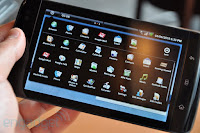
Dell Streak Review

For a few reasons, going to Glastonbury and starting a new job mainly I haven't yet written a review of the Dell Streak that I purchased nearly a month ago now! So here it is...if you don't know already the Streak (also known as Mini 5 before it was released) is a 5" Android device. I say device becasue it is not immediately apparent what to call it. It's a bit big for a smartphone although it can be used as a phone and a bit small for a Tablet. Certainly it looks really small compared to an iPad and huge compared to an iPhone or even a Desire.
A few more things about the form factor, the device is (unlike the iPad) a true widescreen format and whilst it can be used in portrait or landscape is really designed for landscape. In fact the Home screen is locked in landscape. The screen resolution is 800x480 which is the maximum Android can currently support. This is the same as other high end devices but the huge 5 inch screen really makes the difference.

I bought my Streak as a data only device and have't used it as a phone I am going to concentrate the review on what I have found the device useful for and what it isn't so good for. I really like the Streak but I don't think it is the kind of device (like say the iPhone, MiFi or even the iPad) that I would suggest would be useful for lots of people. I think it is going to appeal to and be useful to certain groups of users - certainly techies but also for some productivity applications that I will discuss below.

As with all mobile smart devices, phones and tablets it is the apps that really make the device so I will discuss apps I have tried and used and how well they work on the Streak format.

Operating System/User Interface

The Streak runs Android 1.6 which is (in Android terms) quite an old version. The latest versions 2.1/2.2 do have some improvements that are missing on the Streak - for example multiple Google account support and native Exchange sync but otherwise most things are similar and most apps run fine - a few notably the "official" Twitter app don't. Dell "promise" an upgrade to 2.2 at some point but Android updates always seem to take forever which is realted to how much the OS is customised. In the case of the Streak this is quite a bit.

The changes Dell have made to the base Android UI are generally very good and make the device very useable. They have added more "menus" across the top of the device including what is basically a start menu, a permanent area for notifications and a signal display whith a pull down menu that lets you turn wifi, bluetooth etc on and off really easily.

There are three home screens but you can easily add more and the vast screen gives lots of space for widgets. The UI even allows for folders in a very iOS4 like way that you can add shortcuts to. There are built in Facebook and Twitter widgets. I kept the Facebook one which shows status updates and links to the web version of Facebook (see browser below) but installed a replacement Twitter app Touiteur which works incredibly well on the Streak and has a nice scrolling widget.

The Home screen is as I mentioned locked in Landscape although the Menu system does work in portrait (as do many apps). This doesn't bother me as I tend to use the device in Landscape but some users seem to find it irritating.

One thing I didn't like is the keyboard. At first glance it looks good with a keypad to the right of the regular keyboard but this wastes space and it isn't easy to type on. In fact I found it worse than the iphone which is a shame on such a large device. However, being Android you don't have to stick to what Dell ship and I tried "Better Keyboard" (which was an improvement) before stumbling on a beta of Swype which is amazing. You really have to see Swype to beleive it and it works brillianly on the Streak and even if you don't "swype" the regular keyboard it has it much much better than the Dell one.

Web Browser

The usual webkit browser is included and there is nothing remarkable about the browser itself, it is the usual decent Android experience. What really does make the difference is that in landscape you can pretty much browse normal web pages without having to zoom in and out. It is the smallest device to give a true desktop experience. This means that I have't bothered for example to install the Android Facebook app as you can use the regular website.

The device is great for browsing with two small problems that should be easy for Dell to address. Firstly the device identifies itself as a phone and you end up with the mobile versions of many websites (such as Facebook or BBC News) which is a waste. There is a "hack" available but this doesn't work for all sites. The other issue is the lack of Flash. Both these issues should be solved by 2.2 and even with these issues browsing is a joy on the Streak and definately good enough to use it in preference to a laptop for casual browsing when you don't need to type much.

You can always install the Skyfire browser which lets you view Flash video.

Productivity/Office applications

Smartphones can display office documents such as Word, Excel and PDF files but this is really just to allow you to have a quick read of email attachments. A 5" tablet is big enough to take to a meeting to use to view documents without the need to print them out or take a laptop. It has to be said it is "just" big enough for this task and an iPad size device is certainly easier but then again you can't get an iPad in your pocket...

The Streak comes with a cut down version of Quickoffice which lets you view Word, Excel and PDF files. This can be upgraded fora fee to the full version that not only allows editing of these files but also has an excellent file manager that not only shows you files on the device (and its SD Card) but also Dropbox and Google Docs. This is handy as the native dropbox app doesn't work properly on the Streak but this does.

The other choice for office docs is Documents To Go which doesn't have as good a file manager (no external cloud links) but does seem to render many office documents better and faster. Neither is that expensive and you can always use the 24 hour refund policy of the apps store to work out which suits best.

eBooks/Newspapers

Guardian Anytime is one of my all time favourtite Android apps fetching a locally cached copy of The Guardian down to your device overnight complete with pictures. It looks even better on the Streak with its big screen.

There are a few eBook reader apps and Kindle for Android has just launched. Although not using "eink" the Streak is a reasonable eBook reader although you would probably not purchase this if this was your primary use.

Video

The Streak screen is ideal for video and just the "right" size if held in your hand. Built in support for formats is OK but you can get many more by downloading "Rocket Player" from the Market which gives a wide range of format support. You Tube videos look great.

Accessories

  
Unfortunatly Dell chose to fit a proprietory connector which looks just like (but isn't compatible with) the iPhone/ipod dock connector. This means you can't charge without the Dell cable. Even worse the sync charge cable doesn't work with a good number of USB chargers so you need to bring the Dell plug along too...

Of course you can buy extra cables and there is a good selection of Dell accessories that seem reasonable quality. They are however really expensive, yes £24 for just a sync cable (owch). They have also been slow to ship. Hopefully third party accessories will arrive and help to push the price down.

Standard headphones (including those with microphones and remote controls) work fine in the Streak although I found the sound generally OK but disappointing through the speaker.

There is 2Gb storage memory built in and also a 16Gb SD card in the box

Conclusion

The Dell Streak is a genuinely innovative and different device. Big enough to read books and office docs but small enough to put in your pocket. The dilema with the device is that unless you want to use it as a phone (which it is a little big for) then you will have to end the search for the holy grail of once device and carry the Streak and a phone as well. I don't think the Streak is going to suit everyone a smartphone or iPad will be better for many users but it is well worth a serious look.

Positives
  • Fast, plenty of (expandable) storage
  • More portable than I imagined, really can go in most pockets and is easy to hold and can be used more easily in more places than an iPad
  • Desktop like web browsing experience
  • Viable as an office document viewer
  • Viable as an ebook reader
  • Great for Twitter
  • Brilliant for displaying widgets (eg National Rail/Tube status)
  • Great size for maps
  • Great for video
  • Can run almost all Android apps well
  • Decent Camera 
Negatives
  • Propeietory connector for sync and charge
  • Incredibly expensive Dell accessories
  • Mediocre sound through speaker
  • Android 1.6 (although this is a minor issue in actual use)
  • Browser identifies as a phone and shows mobile version of many sites
  • No Flash
  • No native Exchange support (30 day trial of Touchdown which must be bought)
More info

Modaco
Streak Smart
MyDellMini
XDA Developers

ShareThis